How Automotive Supply Chain Software Prevents Costly Shipping Errors
Shipping errors often become visible at the dock. But that is not always where the problem starts.
An outdated customer release, incorrect CUM, packaging mistake, or missed schedule change can create an error long before a truck is loaded. By the time shipping finds the problem, there may be little time to correct it.
For automotive suppliers, preventing these errors requires a connected process from customer demand through final shipment. Automotive supply chain software can help by keeping the information used for planning, labeling, shipping, and EDI aligned.
1. Start With the Latest Customer Demand
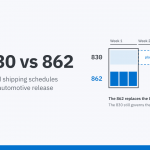
Automotive customers communicate demand through EDI transactions such as 830 Planning Schedules and 862 Shipping Schedules. Those requirements can change frequently.
A new release might change a quantity, date, destination, or shipping requirement. If the latest information does not reach the people preparing the shipment, they can execute an outdated plan correctly—and still send the wrong shipment.
Good automotive EDI software should preserve release history and make changes easy to identify. This gives materials and shipping teams a clearer picture of what the customer currently expects.
2. Check CUMs Before Deciding What to Ship
The latest schedule does not always tell the whole story. Automotive suppliers also need to consider cumulative quantities, or CUMs.
CUM tracking compares customer requirements with quantities already shipped or received. A discrepancy can make the next shipment quantity incorrect even when the current release appears accurate.
This is why CUM tracking and release accounting matter to shipping. They help determine the true net requirement before product is staged or loaded.
A CUM problem caught before shipping is usually manageable. The same problem discovered after delivery can become a customer dispute, over-shipment, shortage, or expedited freight issue.
3. Apply the Customer’s Packaging and Shipping Rules
Knowing the correct quantity does not necessarily mean the shipment is ready.
Automotive customers may have specific rules for standard packs, pallets, containers, transit days, ship dates, delivery dates, Kanban requirements, RANs, and destination information.
Consider a customer requiring 600 pieces. That number alone does not tell shipping how those pieces should be packed or when they should leave the plant.
Automotive shipping software should apply these customer-specific rules before the shipment is finalized. This gives shipping a usable requirement rather than just an order quantity.
4. Keep Label Data Connected to Shipment Data
Barcode labels are another common point of failure.
Automotive suppliers may need serial, container, master, mixed-load, destination, or other customer-specific labels. The information on those labels needs to agree with the shipment and the customer’s requirements.
Problems become more likely when employees manually select formats or re-enter part numbers, quantities, destinations, and other information.
AIAG labeling software works best when label data comes from the same information being used to build the shipment. The label, physical container, and shipping record should all reflect the same transaction.
5. Verify the Physical Shipment With Barcode Scanning
Accurate system data cannot prevent someone from staging the wrong container.
Barcode scanning adds a physical verification step. As material is staged or loaded, each scan can be checked against what is supposed to ship.
This can identify the wrong part, an incorrect quantity, a duplicate container, or material assigned to another destination.
Scan-verified shipping creates an important final control. Instead of assuming the paperwork matches what is on the truck, the system can verify the physical shipment before it leaves.
6. Build the ASN From What Actually Shipped
An Advance Ship Notice should describe the physical shipment accurately.
Problems arise when the ASN and shipment are created from different information. A last-minute change at the dock, for example, may not be reflected in an ASN that was prepared separately.
A stronger process builds the ASN from verified shipment data.
The sequence becomes straightforward: customer requirement, shipment creation, barcode verification, then ASN transmission.
This reduces duplicate data entry and helps keep quantities, packaging, destinations, and other shipment information consistent. ASN validation becomes part of the shipping process rather than a separate task.
7. Confirm That the ASN Was Accepted
Sending an ASN does not necessarily mean the process is complete.
Automotive EDI includes acknowledgment and exception transactions that can tell the supplier whether information was received or whether a problem requires attention. Depending on the customer, these may include a 997 Functional Acknowledgment or 824 Application Advice.
That distinction matters.
A successful transmission tells you the document was sent. Monitoring the response tells you whether additional action may be required.
An ASN rejection identified quickly gives the supplier a chance to investigate while the shipment details are still fresh.
8. Alert Shipping When Requirements Change
A shipment may already be staged when a new customer release arrives.
If systems and departments are disconnected, shipping may continue preparing the original requirement. The change might not be discovered until someone manually compares schedules.
Exception-based alerts can reduce that risk.
Instead of asking employees to repeatedly check reports, the system can highlight significant release changes, CUM discrepancies, material shortages, or changes affecting an existing shipment.
This is where automotive supply chain visibility becomes useful. Visibility should tell people what changed and where attention is needed.
9. Maintain a Clear Shipment History
When a customer questions a shipment, the supplier needs more than the final packing slip.
Teams may need to determine what the customer originally requested, how the requirement changed, what quantity was scheduled, which containers were scanned, what labels were generated, and what was transmitted on the ASN.
A connected transaction history makes that investigation easier.
It also supports traceability and process control associated with MMOG/LE and IATF 16949. Instead of reconstructing events from spreadsheets, emails, and paper records, the supplier has a clearer record of what occurred.
10. Connect the Entire Release-to-Ship Process
Most shipping errors are not caused by one isolated failure.
They happen when information stops flowing between processes.
A customer changes demand, but shipping does not see it. The CUM is wrong, so the quantity is wrong. A label is created from different data than the ASN. A container is added to the truck without verification.
The goal of automotive supply chain management software is to connect those activities:
EDI Release → CUM & Net Requirement → Shipping Requirement → Packaging & Labeling → Scan Verification → ASN → Customer Response
Each step should use information created or validated by the step before it.
That creates multiple opportunities to prevent an error instead of depending on one final check at the dock.
Is Your Current Shipping Process Connected?
A useful way to evaluate your process is to follow one customer shipment from beginning to end.
Can your team quickly confirm that it is shipping against the latest release? Can it verify the CUM, packaging requirement, and destination without consulting another spreadsheet?
Then look at the dock.
Can employees verify that the containers physically loaded match the shipment? Does the ASN come from that verified information? Can someone easily see whether the customer accepted it?
If those answers require several systems, spreadsheets, emails, or manual comparisons, the problem may not be the shipping department. The larger issue may be how information moves through the supply chain.
Prevent Errors Earlier in the Process
Shipping accuracy starts well before a label is printed.
It begins with accurate customer demand and continues through CUM management, packaging, labeling, physical verification, and ASN processing.
The more connected those steps are, the easier it becomes to catch discrepancies while there is still time to fix them.
For automotive production part suppliers, that is one of the most practical benefits of automotive supply chain management software. It creates a consistent flow of information from customer release through shipment confirmation, reducing the number of places where errors can enter the process.
The objective is not more technology at the shipping dock.
It is better information and better controls throughout the entire release-to-ship process.